Install Android on Steam Deck (No Dual-Boot)
Waydroid is an open-source Linux container that allows you to run a full version of Android directly within SteamOS. Unlike Windows, this doesn't require dual-booting and can be launched straight from your Steam library.
📌 Key Takeaways
- Native SteamOS: Runs as a container within Linux; no need to reboot your Deck to access Android.
- Offline Content: Download shows via Android versions of Netflix or Disney+ for offline viewing—a feature not available on the web versions.
- Pixel 5 Emulation: Simulates a Google Pixel 5 running Android 11 with Play Store support.
⚠️ Prerequisites: You must have a Sudo (Super User) password set. If you haven't set one, open Konsole and type passwd to create one before starting.
Step 1: Run the Installation Script
We will use the Waydroid installer created by 10-minute Steam Deck Gamer.
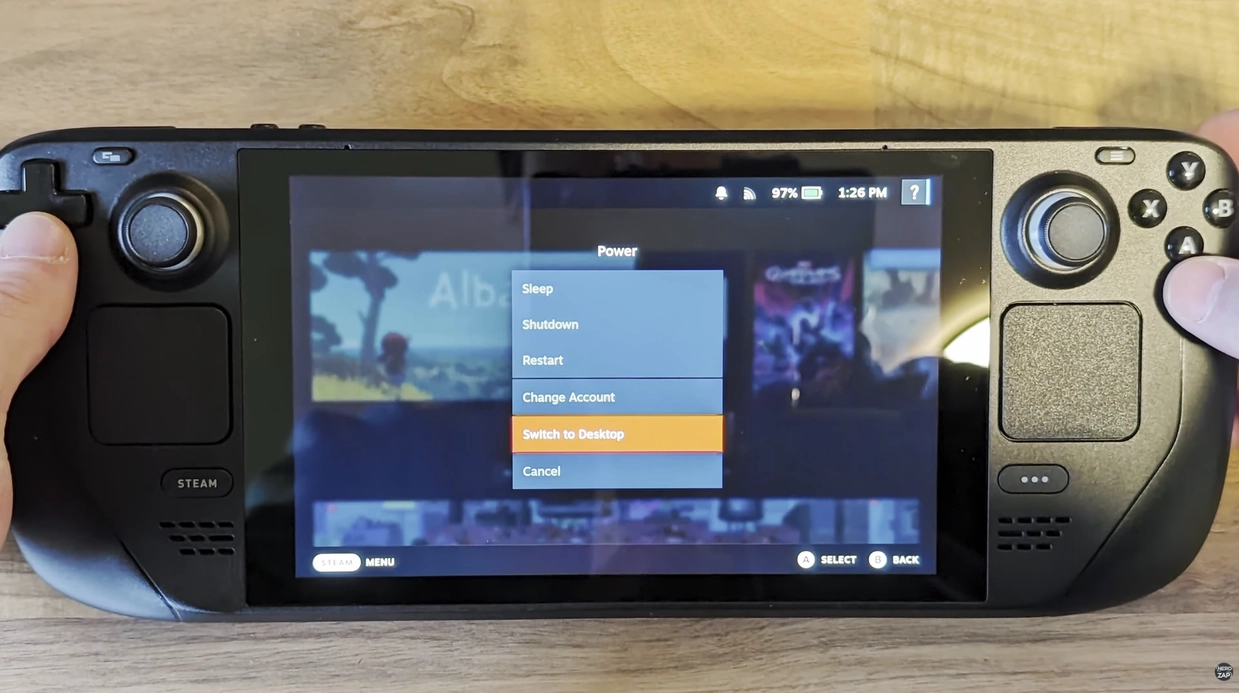
- Switch to Desktop Mode.
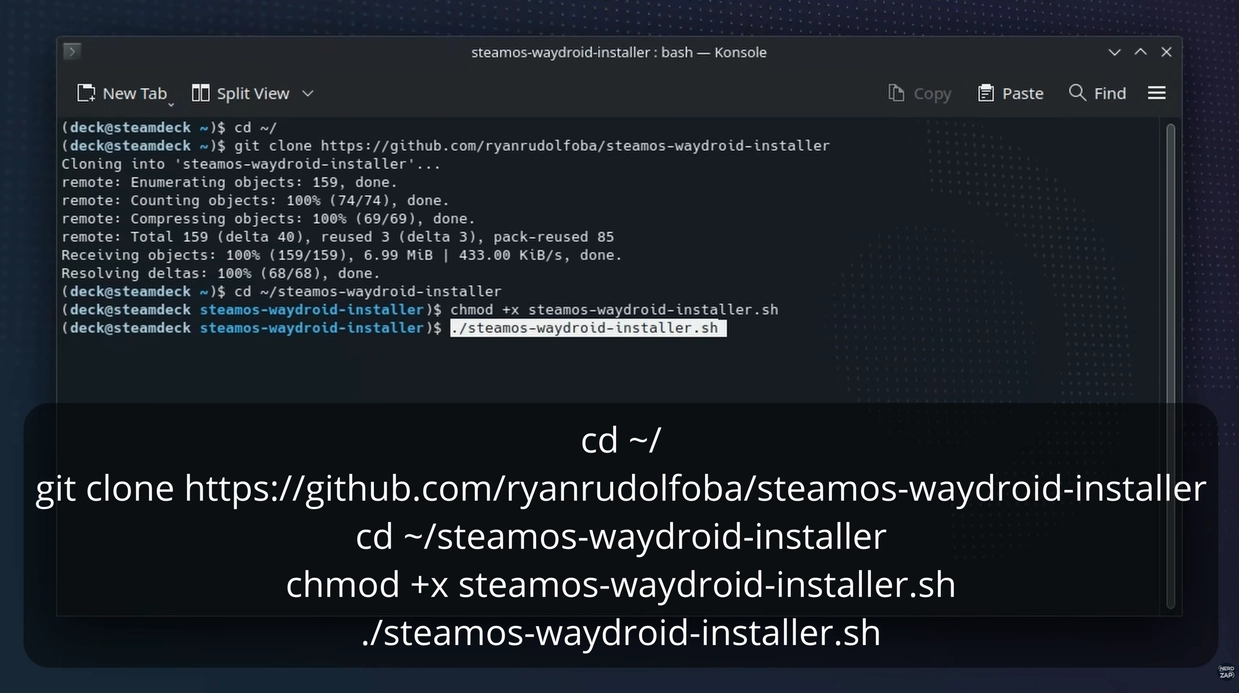
- Open Konsole (the terminal) and enter the following commands one by one:
cd ~/
git clone https://github.com/ryanrudolfoba/steamos-waydroid-installer
cd ~/steamos-waydroid-installer
chmod +x steamos-waydroid-installer.sh
./steamos-waydroid-installer.sh
git clone https://github.com/ryanrudolfoba/steamos-waydroid-installer
cd ~/steamos-waydroid-installer
chmod +x steamos-waydroid-installer.sh
./steamos-waydroid-installer.sh
- Enter your Sudo password when prompted.
- Be patient; the script is downloading a full operating system.
Step 2: Launching in Gaming Mode
- Return to Gaming Mode.
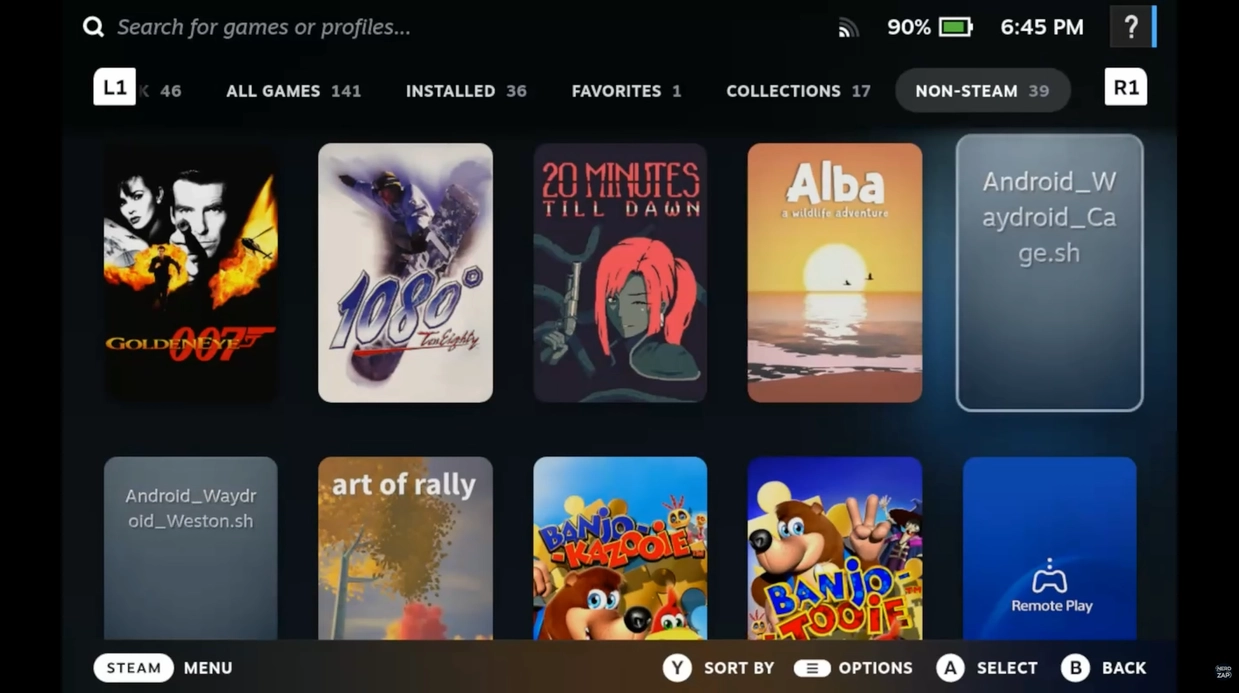
- Go to Library > Non-Steam.
- You will see two Waydroid icons. I recommend using the Waydroid (Cage) version for better compatibility.
Step 3: Enabling Multi-Touch & Controls
To make the experience feel like a tablet, you need to adjust the controller settings.
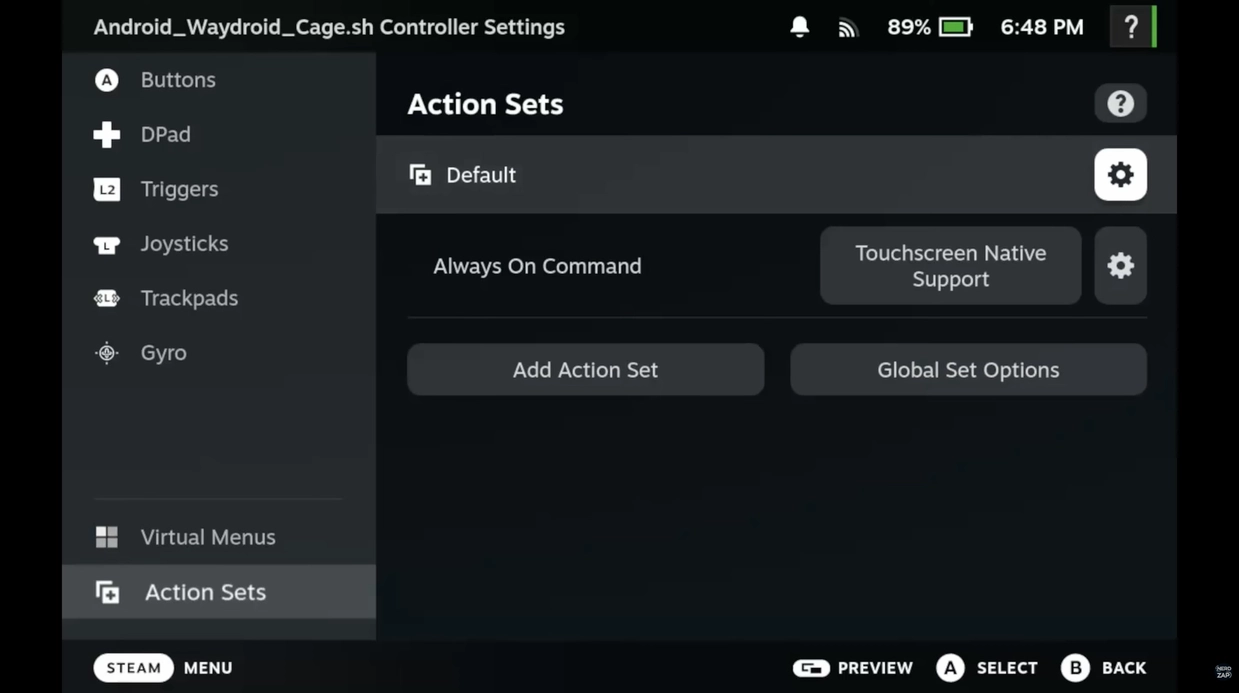
- Select Waydroid in your library and tap the Controller Icon.
- Add an Always-On Command set to the controller configuration to enable multi-touch support.
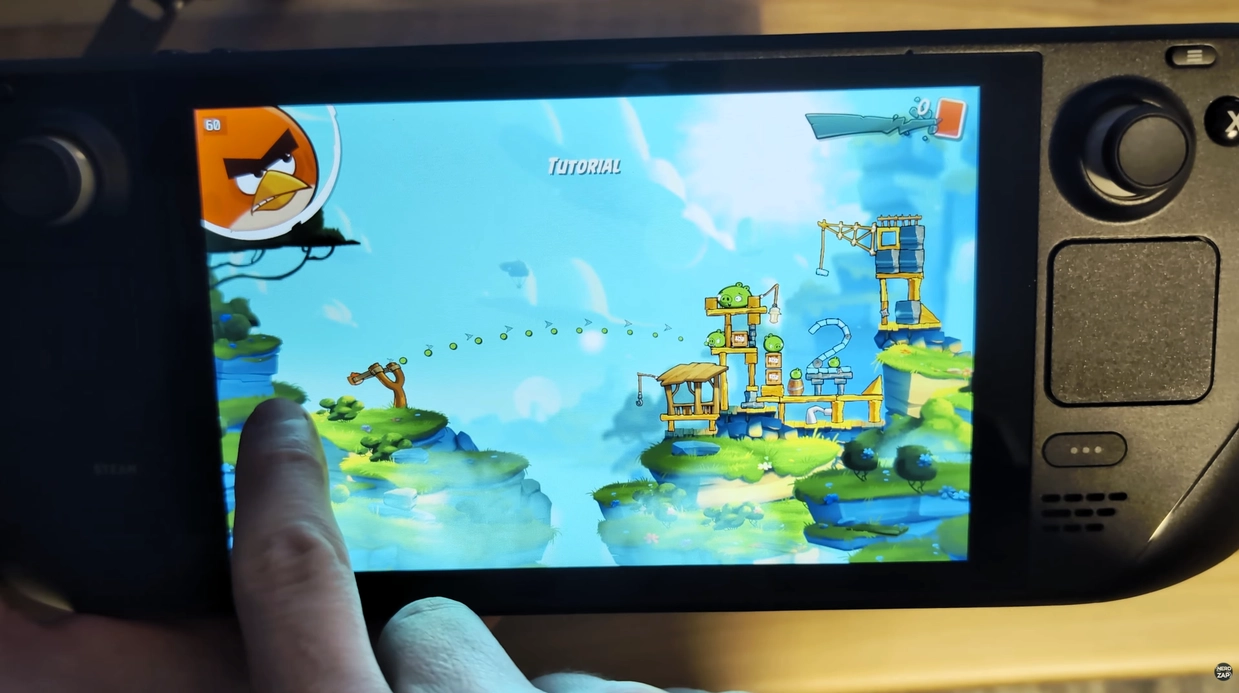
- The touchscreen should work immediately, but you may need to map buttons to specific Android actions depending on the app.
How to Uninstall
If you want to remove Waydroid and reclaim space, run these commands in Konsole:
cd ~/Android_Waydroid
./uninstall.sh
./uninstall.sh
... Subscribers
Found this guide helpful?
Support the channel to help me create more tools and guides!